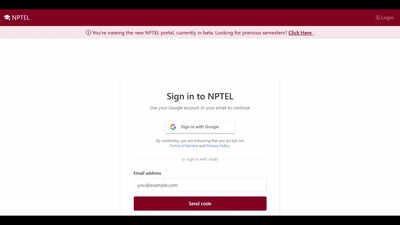
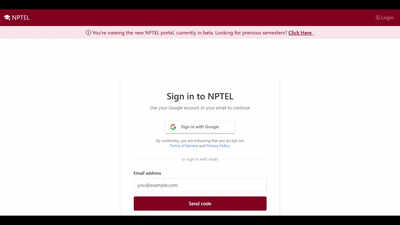
The National Programme on Technology Enhanced Learning (NPTEL) has started releasing the results for its July-December 2026 semester examinations. The results were first released on September 29, 2026, with additional results announced on October 16 for examinations conducted on September 19 and 20.Candidates who appeared for the examinations can check their results online through the official NPTEL website, nptel.ac.in. Students need to enter their roll number or other required login credentials, as specified on the result portal, to access their scores.The results cover several courses across different disciplines, including programming, mathematics, literature, biology, project management and language documentation. Candidates are advised to check the official website for the availability of results for their respective courses.
NPTEL result 2026: Courses included
The latest round of results includes examinations for several courses offered through NPTEL. These include:
- An Introduction to Coding Theory
- Cellular Biophysics: A Framework for Quantitative Biology
- Introduction to Programming in C
- Postmodernism in Literature
- Calculus of Several Real Variables
- Tools and Technologies of Language Documentation
- Project Planning and Control
- Soft Skill Development
Students enrolled in these and other courses should check the official result portal to confirm whether their course results have been published.
NPTEL result 2026: Steps to download scorecards
Candidates can follow these steps to check and download their NPTEL July-December 2026 semester examination results.Step 1: Visit the official NPTEL website at nptel.ac.in.Step 2: Look for the section titled ‘Results for Jul-Dec 2026 Exams’ on the website.Step 3: Click on the relevant result link for the course or examination.Step 4: Enter the required details, including the roll number or other credentials requested on the portal.Step 5: Submit the information to access the result.Step 6: Check the marks and result status displayed on the screen, then download or save the result sheet for future reference.Candidates should ensure that they select the correct course and examination before downloading their results.Aspirants can click on the link provided here to download the NPTEL scorecard 2026.Candidates can click on the link provided here to download the NPTEL result 2026.
NPTEL marksheet 2026: Details to be checked
After downloading the result, candidates should carefully verify the information mentioned on the marksheet. The result sheet may contain the following details:
- Student name
- Registration number
- Course name and course code
- Subject name and subject code, where applicable
- Result status
- Marks obtained
- Maximum marks
- Result date
Candidates should check their personal details and marks for accuracy. If they notice any discrepancy, they should contact the NPTEL examination authorities through the official website for clarification or correction.
What candidates should do after checking the result
Students should save a copy of their result for future reference and verify whether any further instructions have been issued for their course. Those who cannot access their results should check the official website again and ensure that they have entered the correct credentials.As results are being released in phases, candidates whose course results are not yet available should monitor the official NPTEL portal for further announcements. The website remains the primary source for the latest information on result availability and related instructions.